
Remind
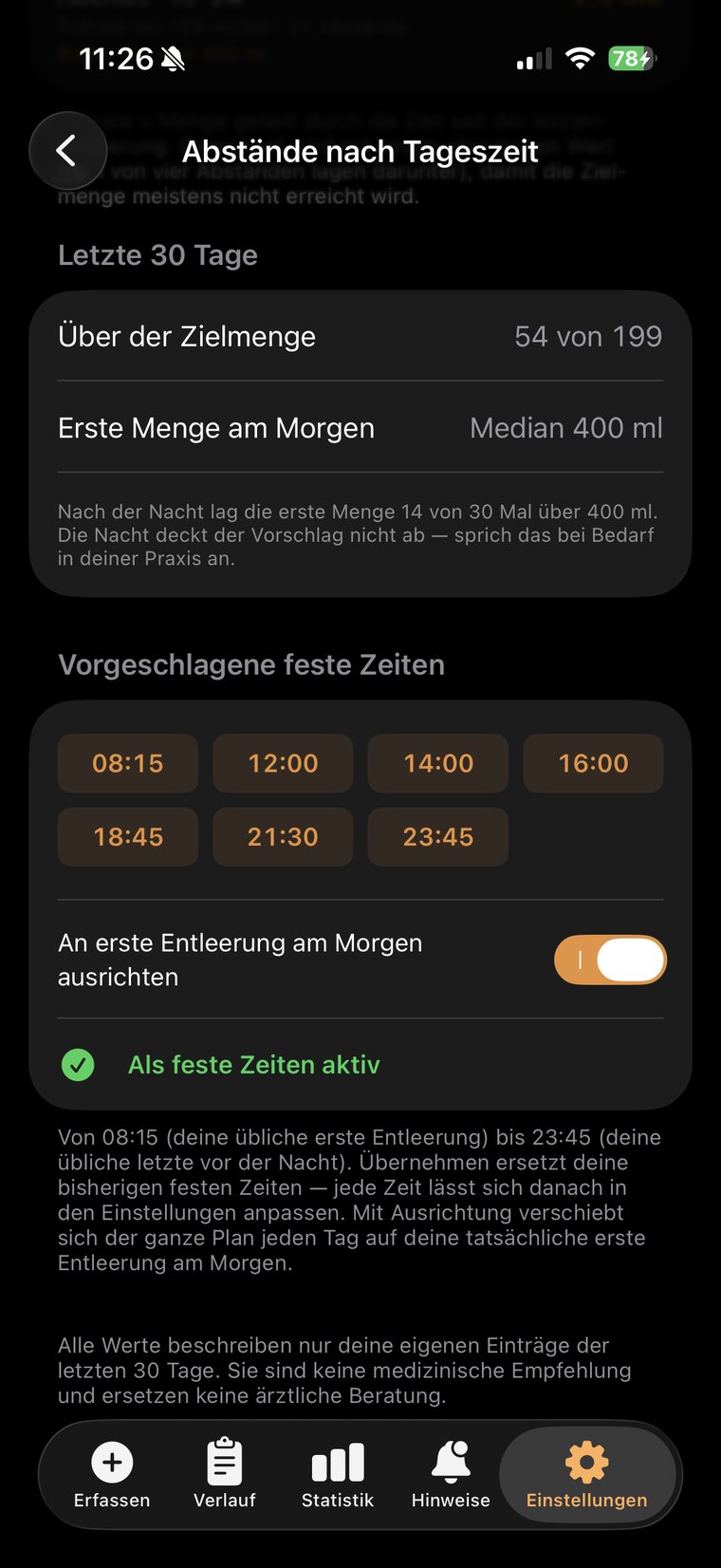
Your interval, fixed times or intervals by time of day, worked out from your own fill rate — the app speaks up, even on the lock screen, in the car, on your wrist. At night it stays quiet if you want it to.
Bladder & bowel diary · iPhone · Apple Watch · Android
Bladder & Bowel Manager reminds you of your times, logs an entry in two seconds and shows you what changes over the weeks. No account, no ads, no data ever leaving your device.
New: package scanner — recognise catheters and medications by camera, scan barcodes, build your own catalogue. Live on Android, coming to iPhone.
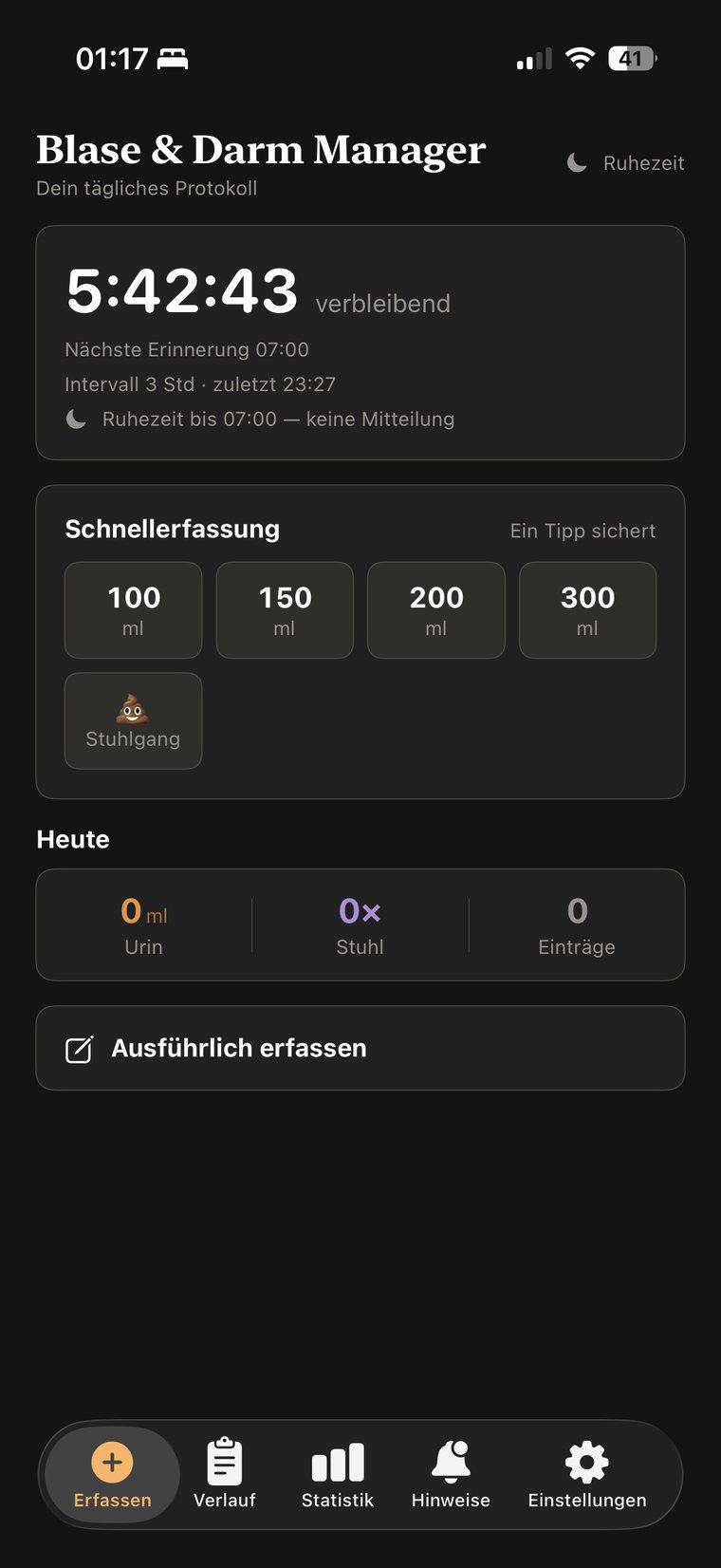
A day on a 3.5-hour interval
How it works
Your interval, fixed times or intervals by time of day, worked out from your own fill rate — the app speaks up, even on the lock screen, in the car, on your wrist. At night it stays quiet if you want it to.
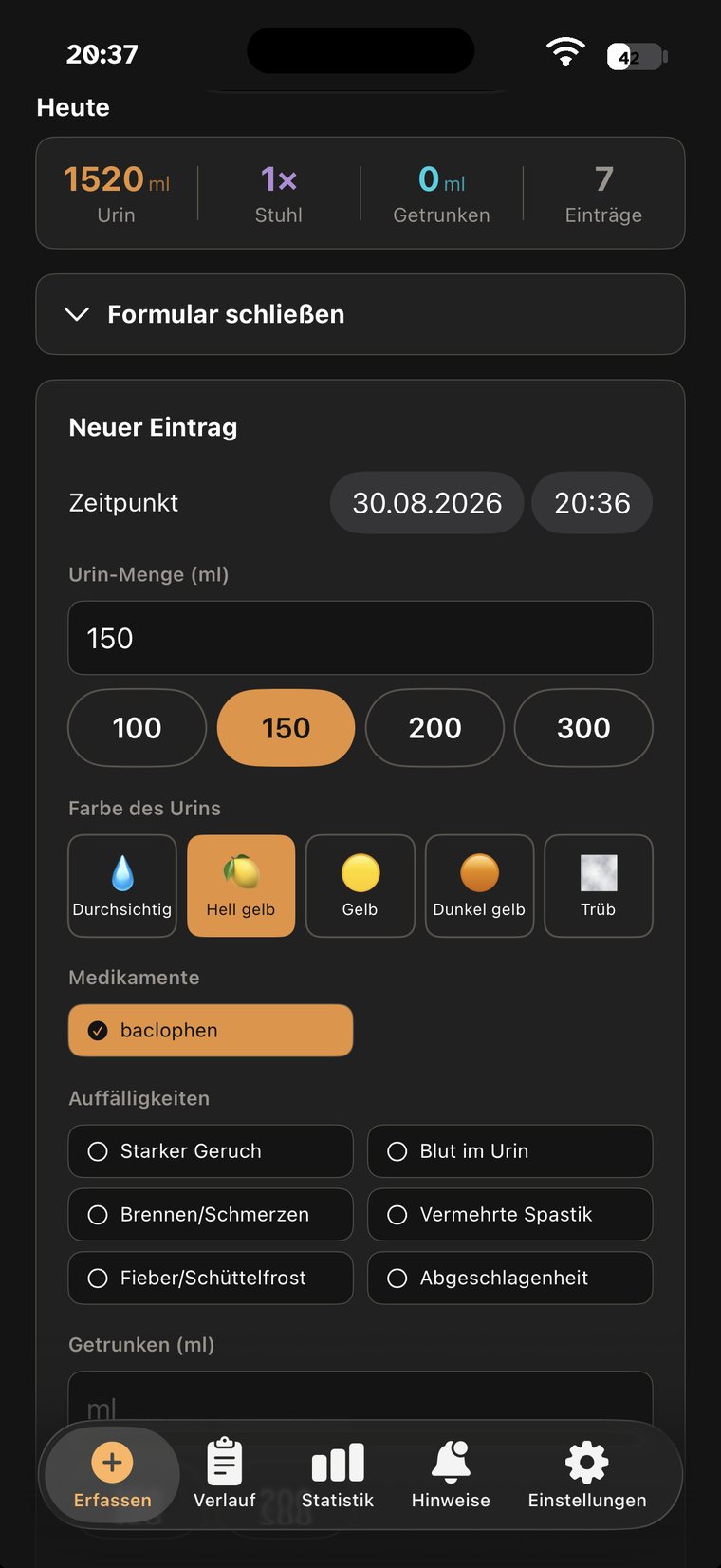
One tap on the tile with your volume — saved, timer restarted. If you want to capture more: urine colour, Bristol type, signs, medications, fluid intake, catheter supply. Or just scan the package.
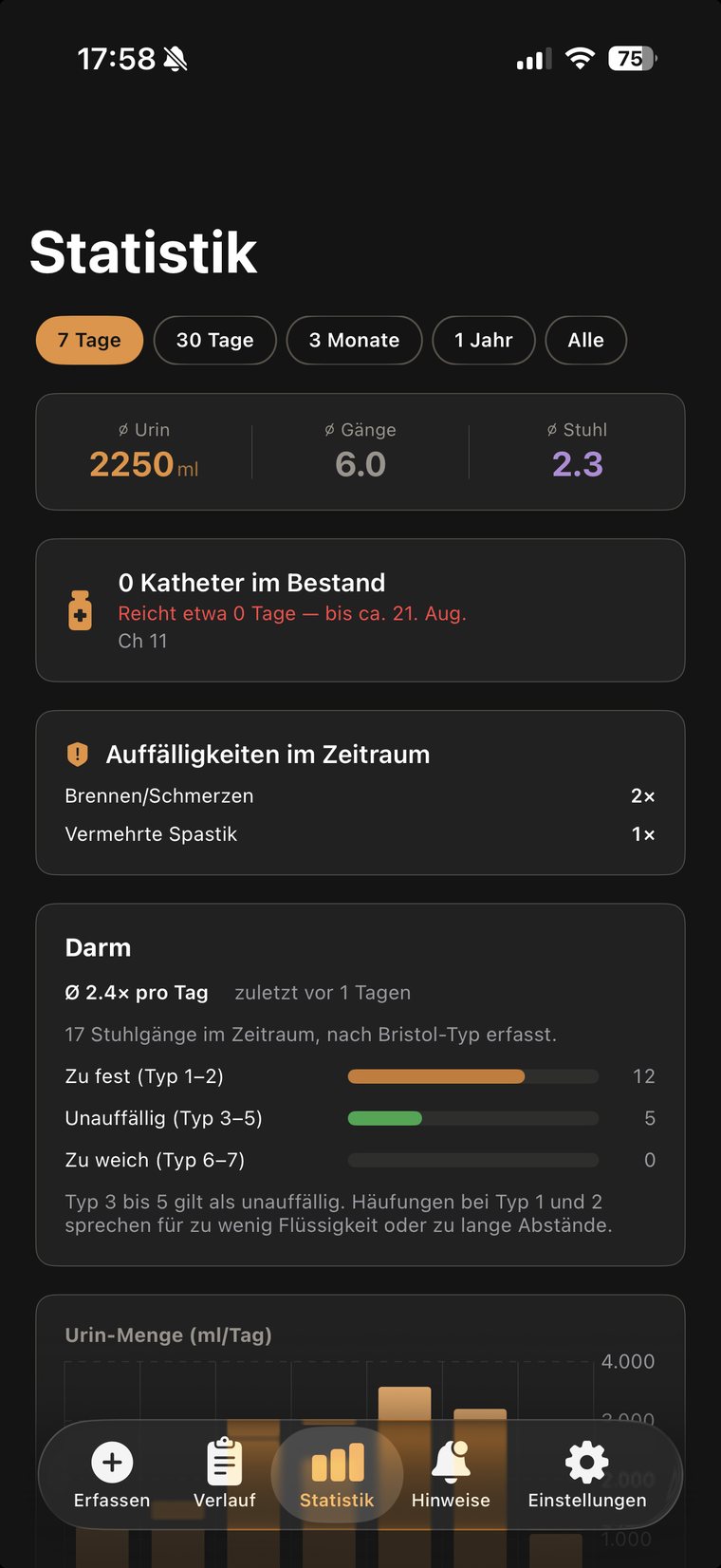
Statistics across weeks, alerts when values drift out of range — and a PDF report you simply put on the table at your next appointment, instead of guessing from memory.
Why an app at all
If you catheterise, do bladder training or keep a fixed bowel routine, you work with intervals. You know them by heart — until an appointment gets in the way. The app takes over the counting. For:
Where it runs
iPhone with widget, lock screen and Live Activity · Apple Watch · Apple CarPlay · Siri and Shortcuts · iCloud backup — and Android as a direct download.
Deliberately outside the Play Store: the app comes straight from this site. Logging, statistics and the PDF report are the same as on the iPhone; widgets, Apple CarPlay and Siri are missing for obvious reasons.
Two things worth knowing: Android will warn you during installation because the file does not come from the Play Store — that is expected, and you can confirm it. And updates will not arrive automatically; new versions appear here on this page.
The current build covers what matters: one-tap quick capture, reminders as an interval or at fixed times, medications with intake reminders, package scanner for catheters and medications, the Bristol scale, a five-step urine color scale, catheter stock with prescription reminder, early UTI warning, palpation and autonomic signs, stool amount, alerts with suggestions from your data, statistics with CSV and PDF export, editable entries and configurable quiet hours.
Both apps — iPhone and Android — live on GitHub, under the PolyForm Noncommercial License 1.0.0: reading, building and any noncommercial use are expressly allowed — commercial use is the one thing that is not.
Usability
The app is meant for people whose fine motor control, strength or sensation may be limited. That shaped the design in several places.
If something still gets in your way, write to me. Those are the messages that change the most — a good part of what is listed here came about exactly that way.
What you log here is health data. So there is no account, no server, and no analysis on our side. The app stores everything locally on your device — and, if you want, in your own iCloud backup.
And the app is free — no subscription, no locked features, no ads.
Reference
Nine guides to read up on — plainly written, no jargon, and useful whether or not you use the app. All pages also on the overview page.
Common questions
No. It logs your observations — such as odour, burning or cloudy urine — and flags patterns you should have checked by a doctor. It does not make a diagnosis.
Yes — fully, since version 4.4: iPhone, Apple Watch, widgets and notifications follow your system language. The PDF report and CSV export deliberately stay in German so existing exports and imports remain compatible. Since version 2.3, the Android app is fully bilingual as well.
Accessible out and about
The app is part of a small family of projects about life with a spinal cord injury — all free, all built from first-hand experience (in German):
About
The app comes from André M. Bajorat, who writes at ploetzlich-querschnitt.de about everyday life after a spinal cord injury. What went into it did not start on a drawing board but with the question of how to keep track of these times without letting them dominate the day.
Feedback goes straight into the next version — including the small stuff. Just write.
The app is free and will stay that way. If it makes your day easier, you are welcome to say thanks — with a coffee.
Hardly anyone talks about this subject, so hardly anyone finds the app. On the App Store, reviews help decide who gets shown it at all. Two sentences are enough.